 Fra Noi Embrace Your Inner Italian


Our friends at FamilySearch have come up with something new.
This new search method looks like it’s temporary, but I plan to get what I can from it while it’s around.
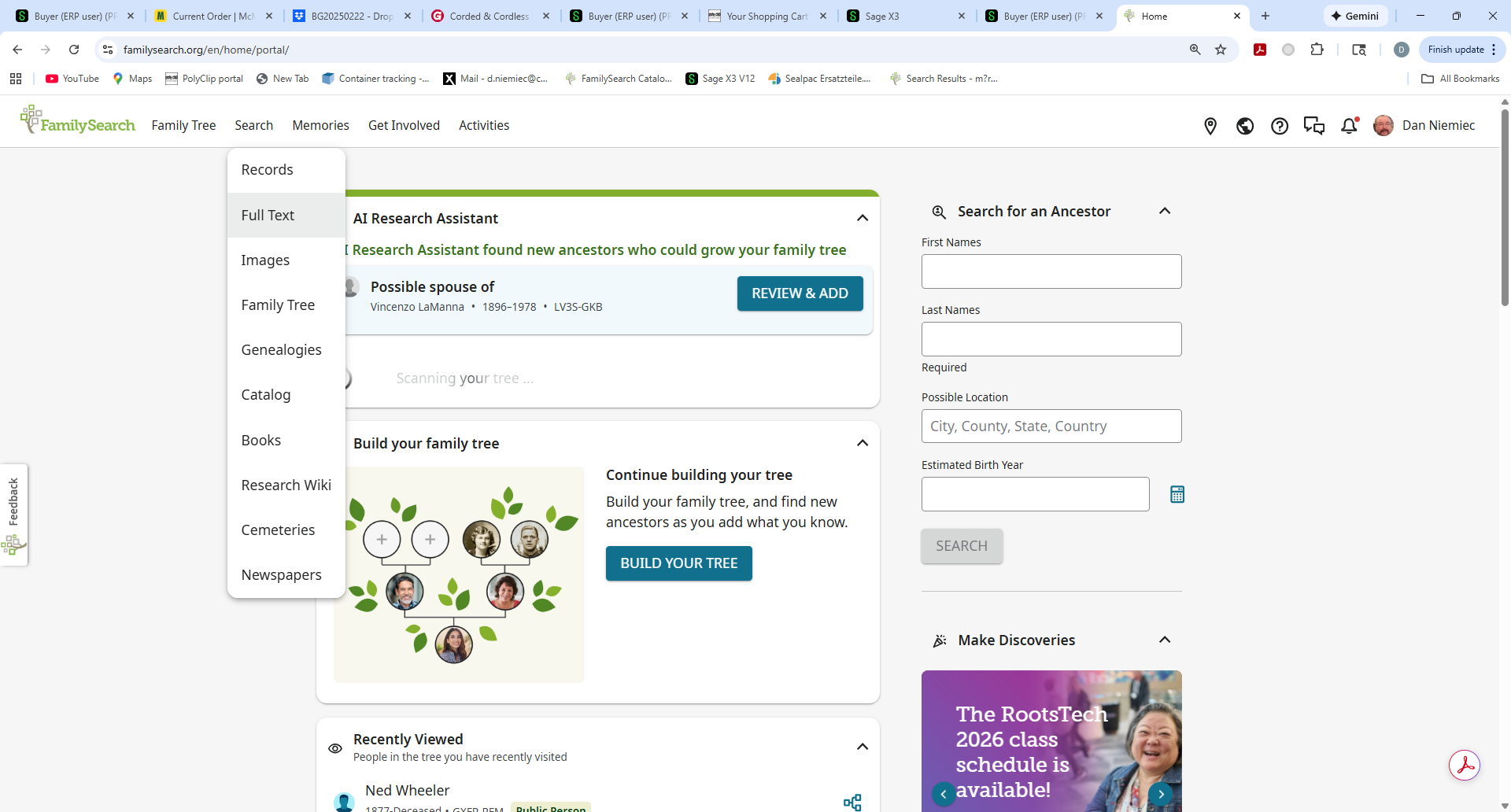
On the search menu, there is a relatively new item called “Full Text”. (See screenshot above.)
You may recall that I mentioned this was in beta testing a couple of years ago, and they ran a bunch of Illinois Wills through it. A lot of people who were looking for relatives as beneficiaries were excited that they didn’t have to drive to the archive and read books page by page.
I was forced into trying this because of FamilySearch and the AI indexing that I have discussed in recent columns. FamilySearch ran the Bari Italy films/folders through AI but only 1809-1900. Since the records from 1901-1929 were filmed at a different archive, they were left out, even though the records are the same format and could have easily been run through the same AI programs.
I have found thousands of new records from the AI indexing, but everything stops cold in 1901. Yes I can go through the images the old fashioned way, and eventually I will. But I wanted to try the full text search method first. I noticed very recently that many of the films in the 1901-1929 Bari now have a new little emoji.
If you’re in the catalog and you find a film/folder you want to search, you might see the magnifying glass, which means these have been indexed. There is no way to know if they were AI indexed or human indexed. If they do not have the magnifying glass, they might have the new emoji which is “full text searchable”. (If they have neither, you have to look at the images the old-fashioned way.)
What does “full text searchable” really mean? As with most of what I report, good and bad news.
The full text search goes through every image in a film/folder and converts the hand-written words into text. This is the same technology used in the AI indexes. Impressive.
What full text search does NOT do is to convert what words it reads into what it means. It just throws all the words that it can interpret into text. I’ll show you an example.
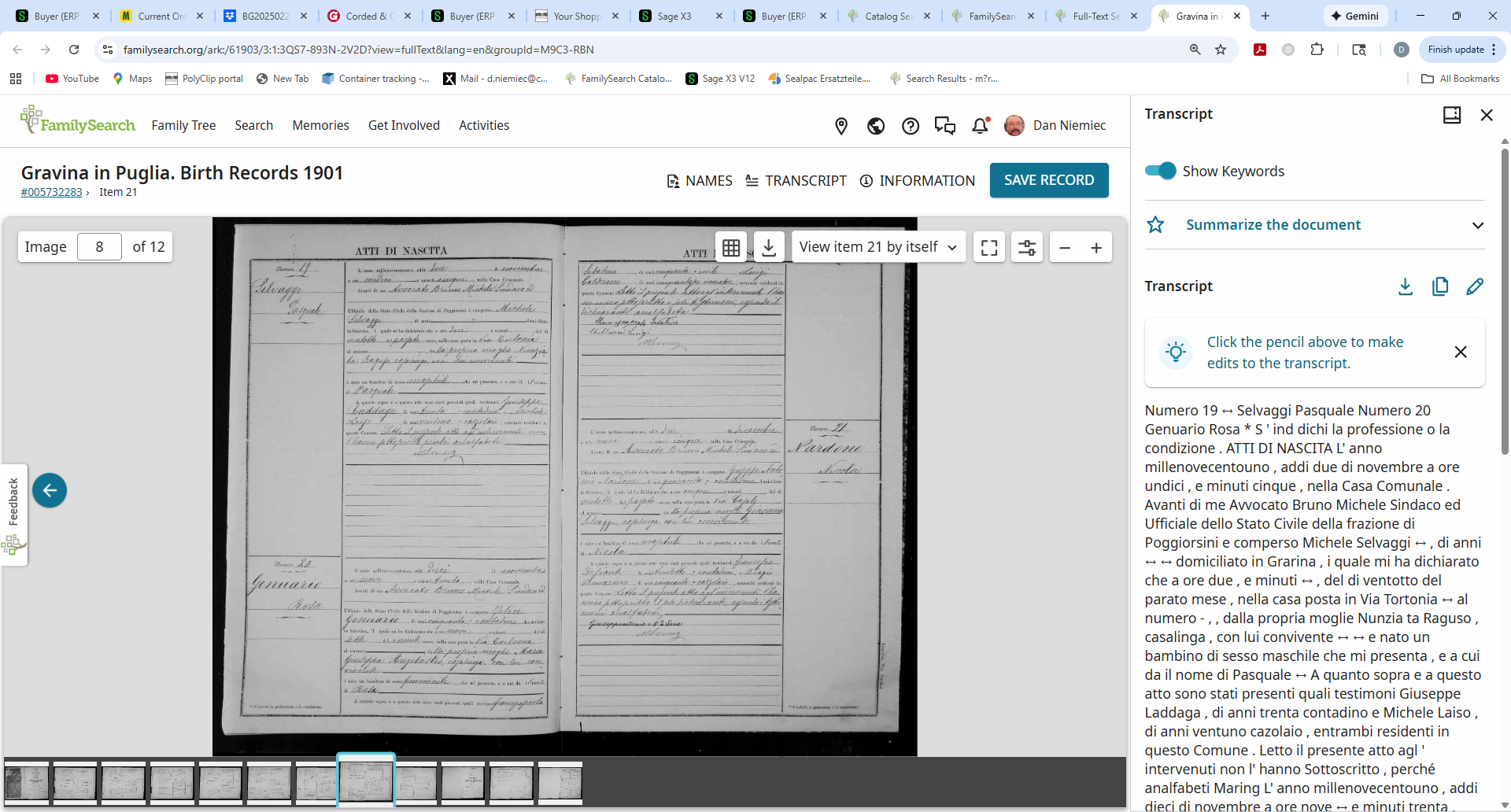
Here is a page of text that goes with this image. I’ll zoom into one of the three records on this image.
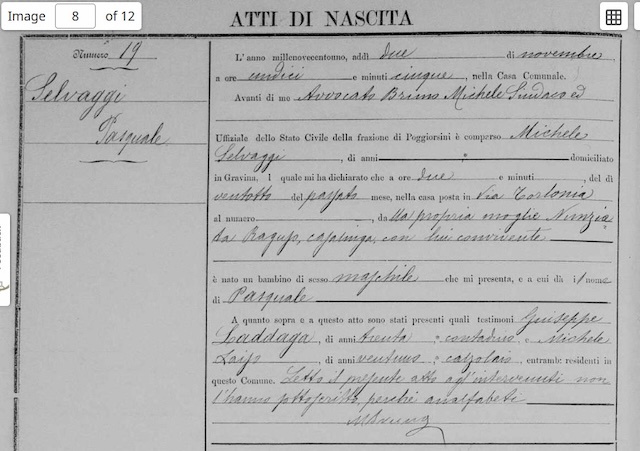
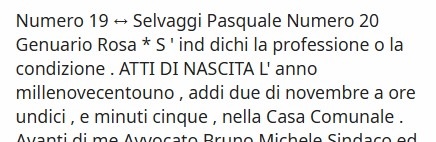
On the left margin of this record is the record number and the name, with surname first and give name second. Numero 19 Selvaggi Pasquale. You can see this in the text on the right.
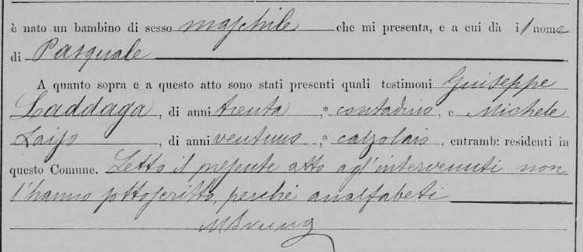
So let’s see the text in the main area of this record. Here is some of the image first.
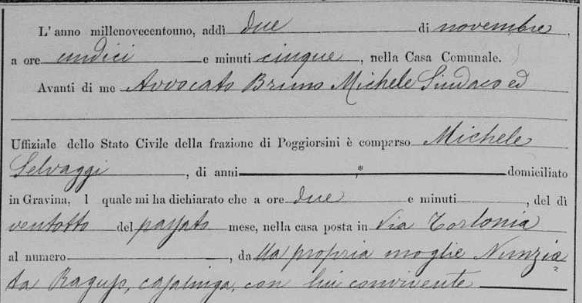
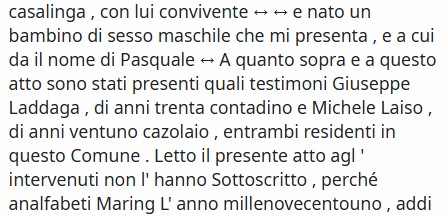
And here is the text that matches it.
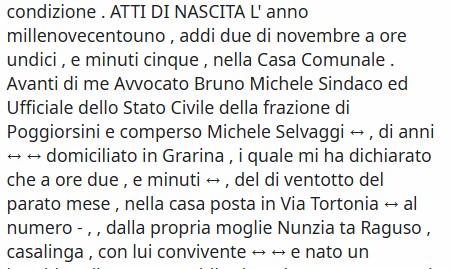
Here’s more of the image.
And the rest of the text.
The best way I can compare AI/Human indexing with Full Text indexing is this: When I search the AI/Human index, I can limit my search to:
• a specific town or province,
• a year or range of years
• first name
• last name
• father’s first name
• other’s first and/or last name
• type of record
When I search “full text”, I am searching for a needle, and each image is a haystack!
Let’s look at the search screen.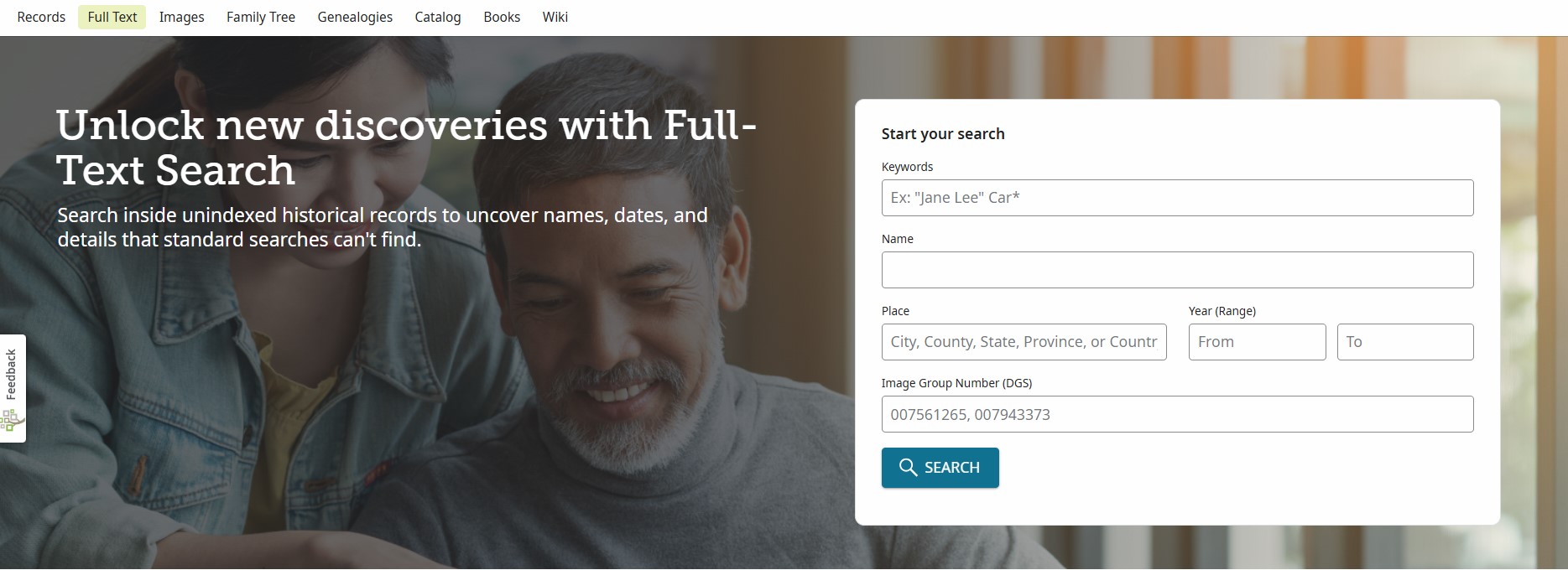
First we have keywords, then name, then place, then range of years, then image group numbers (forget those for now.) I have to say that my first few days of searches of Italian records have proven the following. (This is my personal evaluation and maybe I’m wrong.)
• The name of the person is not indexed in the Name search field.
•The Place is not indexed
• The year range is not indexed.
From what I have learned, you need to just put all the words in the Keyword search.
How should you do this? To find all the records of a family, we need to search for both parents. If we add the town, we won’t find children born in a different town to the same parents.
Let’s search for all the children of this couple: Paolo Lombardi and Rosa Guerra. They were married in 1900, so all their children should be born after the full-text starts.
If I search for Lombardi or Guerra in the “Name” field, I won’t find what I need.
They are from Triggiano, but if I put Triggiano in the Place field, I won’t find what I need.
Same goes for the year. You get the idea.
Instead I will use Keywords to search:
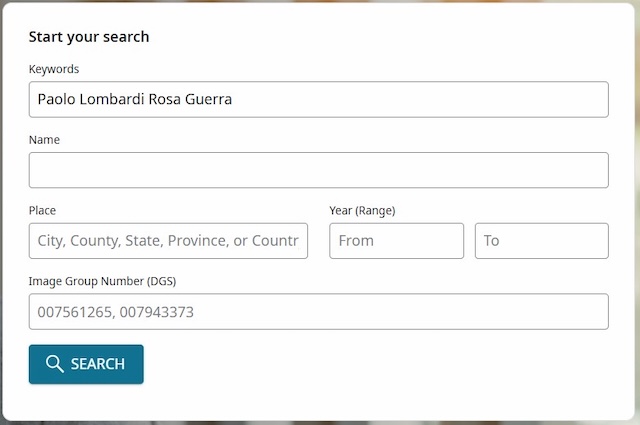
My search was wonderful – I got 49 million results!!!
So I added “Triggiano” to the search, and I got another 100,000!
Well, I don’t want to read 49 million pages. Why did so many pages come up? Because any image that contains ANY of the words I searched will end up in the results. Any Italian record with Paolo in it. Any Italian record with Lombardi in it. You get the idea.
I really don’t want any page with ANY of those words. I only want pages with ALL of those words on the same page. To do that, you need to type a plus sign in front of the word. This means that the only pages that show up will have all the words.
Let’s try the search the new way:
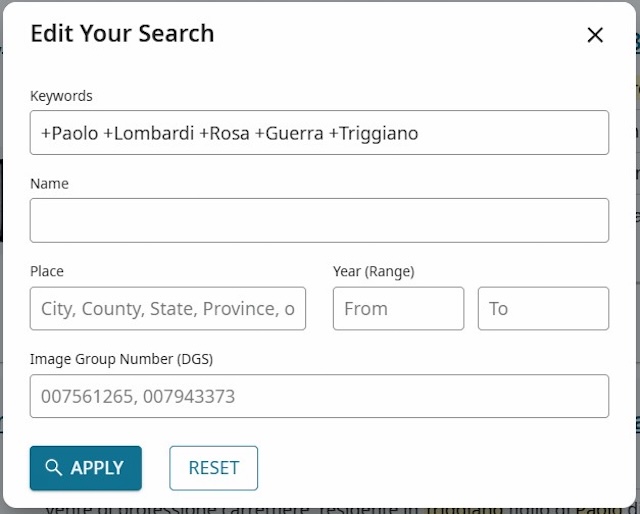
Much better – only 40!
This is how you will see the results.
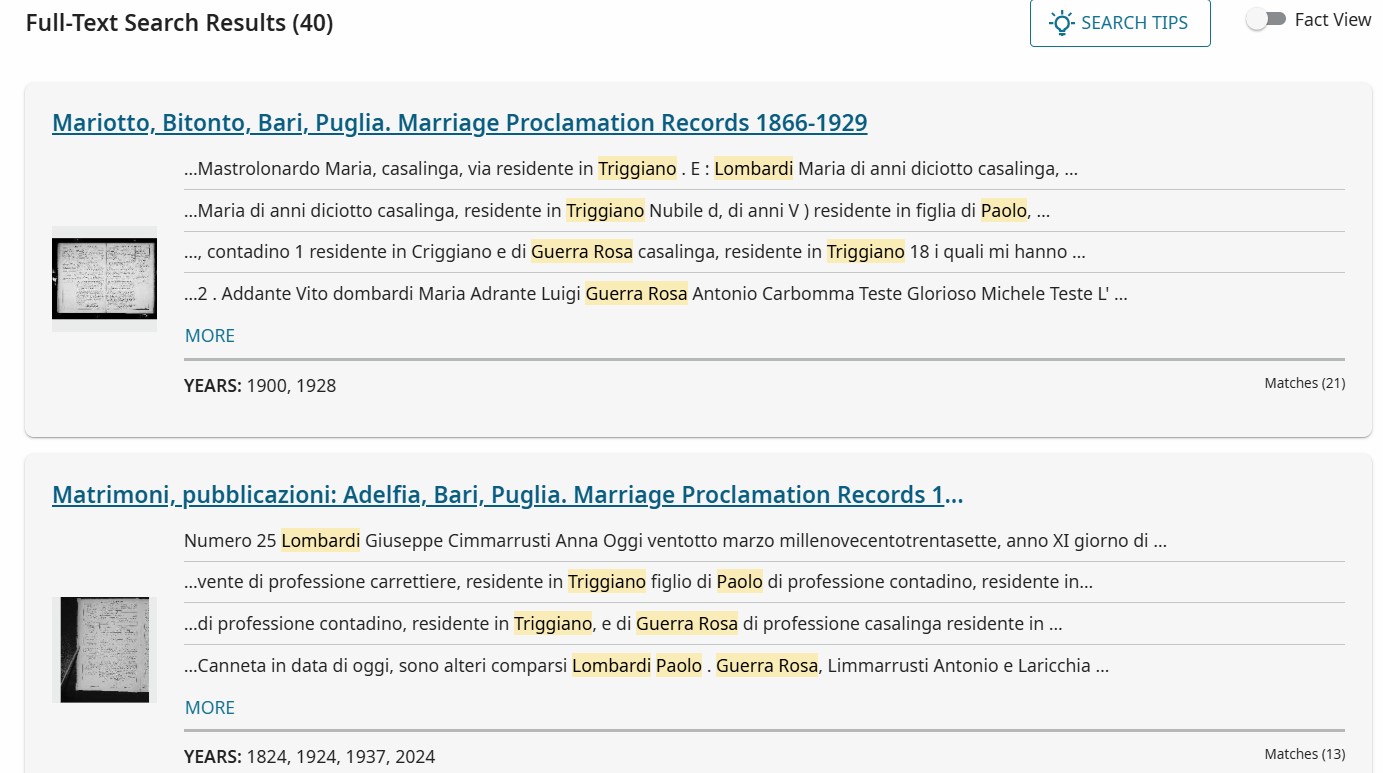
I don’t want to go through all 40 records in this column, but suffice to say you need to use the pluses and the keyword search to try to track down your relatives in Italy.
Remember that even with only 40 results, you get each image that has any combination of those names. So a page with a Rosa Lombardi and Paolo Guerra, Paolo someone-else and Rosa whoever. Rosa Di Paolo. No guarantee that these are the family I want. You can see in the image above the various words with yellow and how they look.
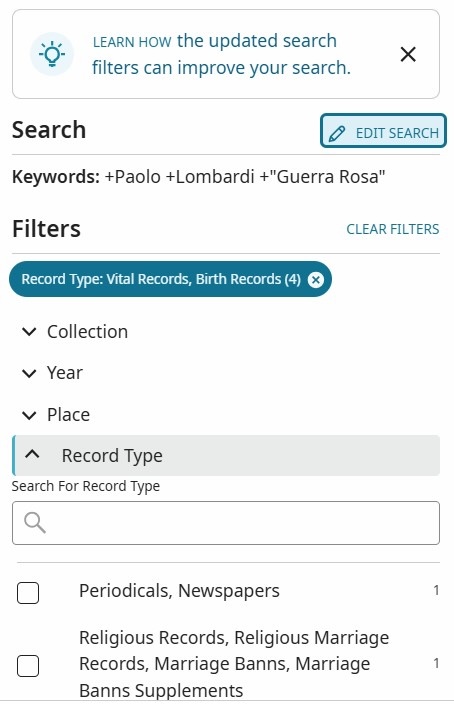
On the left, you can apply a filter to only see birth records for now. Click “Record Type” and select “Vital records, Birth records. Make sure the other boxes are not checked, then click “Apply”.
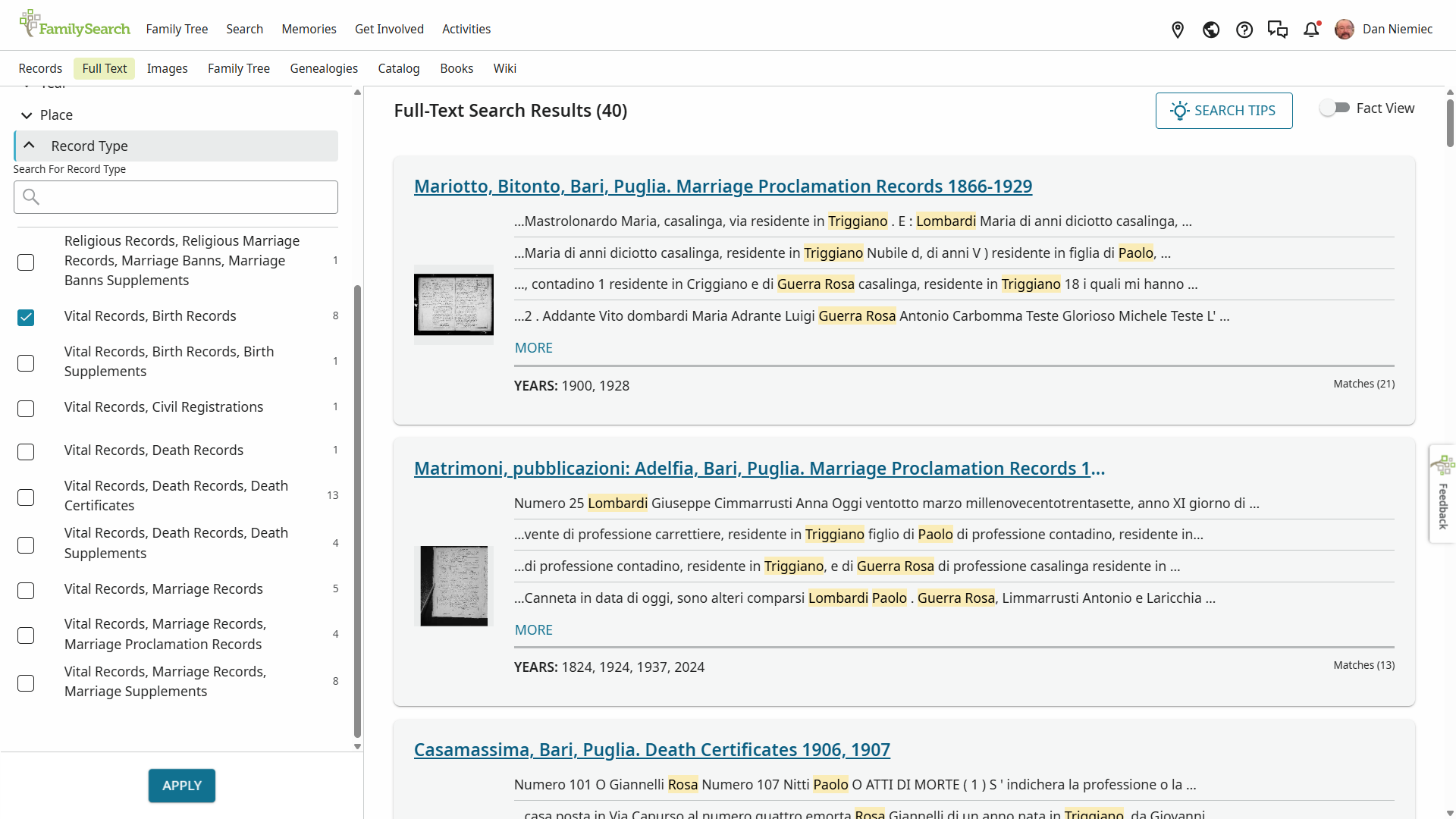
Now we only have eight results! Much better.
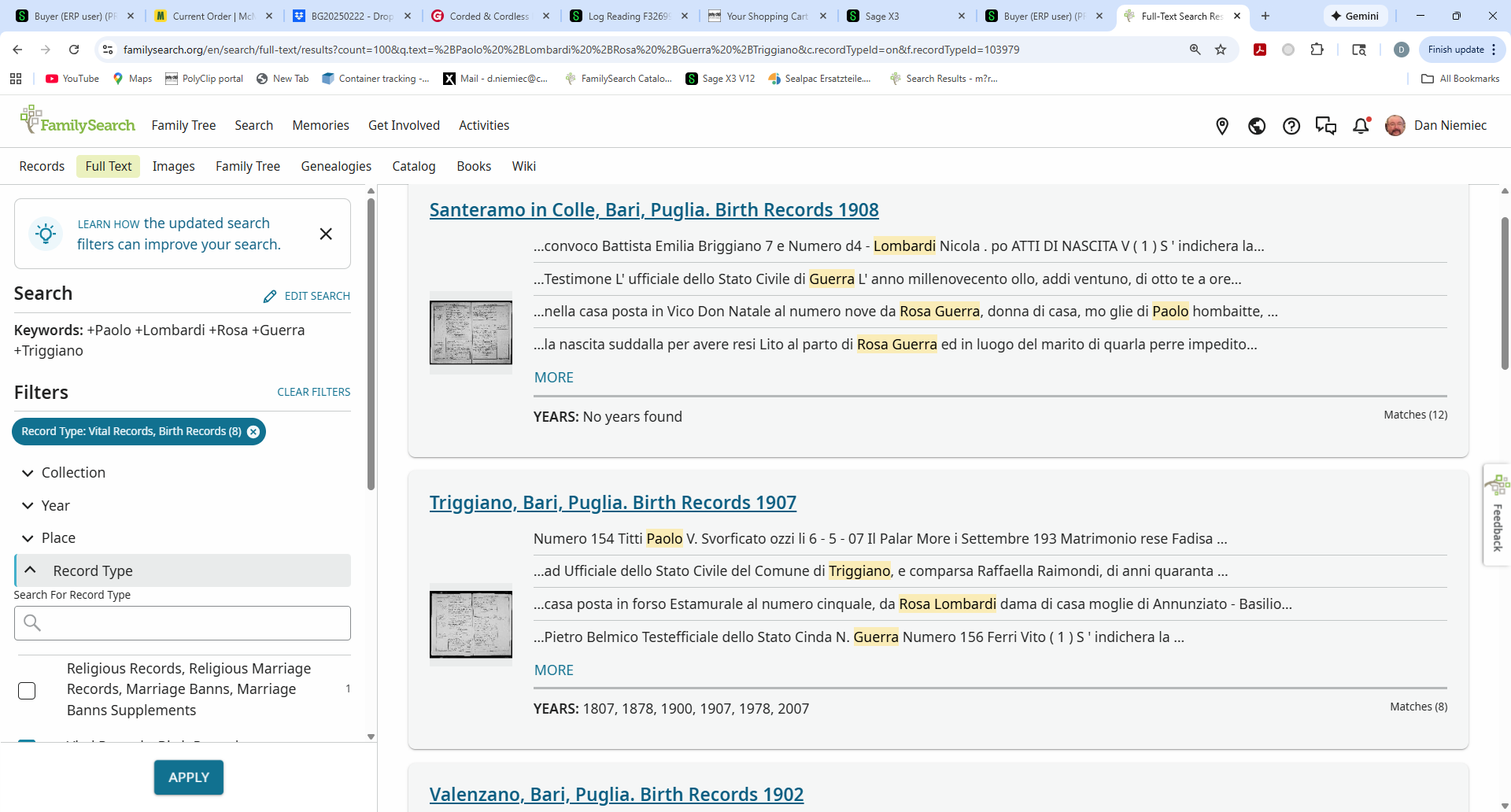
When you click on any of these results, it will take you to the image, which for births has three different people on an image. (Marriages have 2, deaths have 4). Do not worry about the header at the top of each result. It might have a different town. Click on it anyway.
First result, Nicola Lombardi, born Oct 20 1908 Triggiano, parents Rosa Guerra and Paolo Lombardi. Ka-ching!
Second result. Paolo Nitti, Margherita Trulli and Vito Ferri. No Lombardis
Third Result. Maria Lombardi born Aug 28 1902 Triggiano, parents Paolo Lombardi and Rosa Guerra. Ka-ching!
Fourth result. Adele Maria Lombardi, parents Giuseppe Lombardi and Maria Domenica Pontrelli. Wrong parents. The other two aren’t Lombardis either.
Fifth result. Antonio Lombardi born Jan 1 1919 Triggiano, correct parents – ka-ching
Sixth result. Costantina Lombardi with the wrong parents. Other two are not Lombardis
Seventh result. Giuseppe Lombardi born Nov 2 1916 Triggiano, correct parents – ka-ching
Lastly eighth. Maria Teresa Lombardi, correct parents. Born June 11 1910 in Bari, not Triggiano. Ka-ching and you might have never looked in Citta di Bari if this search didn’t send you there.
Out of 8 results, we know we have five children born to this couple, between 1902 and 1919. We obviously do not have every child, but we have a bunch and we now can search other records manually to find others.
Actually, by putting “+Triggiano” in the keyword search, we might have excluded other towns from the search. The only reason it found the record on #8 was because Maria got married in Triggiano and that is noted on her birth.
Also don’t forget to use “Edit Search” to adjust your search settings. It’s on the left panel.
I am still learning how to get the most from this tool. Ultimately, I hope the records that are Full Text can be converted to AI indexed so you only have to use one method.
If you get too many results, add more words with the plus sign. Or try putting the mother’s name in quotes like this +”last first” example +“Guerra Rosa” Most of the time, the mother’s name is on the records this way and that will only show where the names are together like this. Then try +”Rosa Guerra”
Any questions, or suggestions, send them to Dan at d.niemiec@comcast.net and please put “Fra Noi” in the subject.