 Fra Noi Embrace Your Inner Italian


When you’re at home researching your genealogy, or at a library or FamilySearch center, it doesn’t matter what the weather is like. You’re indoors!
When you want to visit someone at a cemetery, to say a prayer or to get some genealogy information about them, you’re mostly outside. In good ol’ Chicagoland, you have to plan your cemetery trips around the weather. Too much rain leads to soggy wet muddy ground. Too many leaves in the fall leads to flat stones covered and you can’t see them. Too much cold wind leads to freezing. Too much summer heat leads to perspiration.
Therefore, I watch the weather carefully and when the rain goes away and the temperature hits the magic “not-too-cold” and “not-too-hot” range, I make sure I am ready to go visit some cemeteries that weekend. And I try to be ready with a list of graves and crypts to visit and maps to help me find them with a minimum amount of aimless wandering.
Since most of our Italian ancestors and relatives grew up Catholic, let’s talk about finding their final resting places. There is no law that they can’t be buried or entombed in a non-Catholic cemetery, but the Chicago Archdiocese gives us several ways to find the locations ourselves. Non-Catholic cemeteries have a varying degree of helpfulness because they have no central lookup place, which means you have to go to the office and ask them to look for a location for you. Take it from me, most of them don’t like when you ask for five locations all at once. But you do not have to go to a Catholic Cemetery office and ask for locations – you can find as many as you need without annoying the office staff.
Keep in mind that when I say “Catholic Cemetery” records, I am referring to those contained in Cook and Lake County in the Archdiocese of Chicago. Those relatives of yours buried in Catholic Cemeteries in DuPage, McHenry, Will or Kane counties are not part of this, because they are in other dioceses.
(For the record, the diocese of Rockford, containing Kane, McHenry and everything west to the state line, has a cemetery lookup system at https://rockfordcemeteries.org/locate-a-loved-one/)
You can find Cook and Lake Catholic Cemetery records one of four ways.
1) You can go to a larger cemetery and look up locations in the touch screen kiosk.
2) You can look up from your home computer by getting a link from https://www.catholiccemeterieschicago.org/ and look them up for 15 minutes (I’ll explain later.) Methods 1 and 2 are current up to that week.
3) You can search for pre-1980s deaths on familysearch and see the interment card with the location on it, but no map.
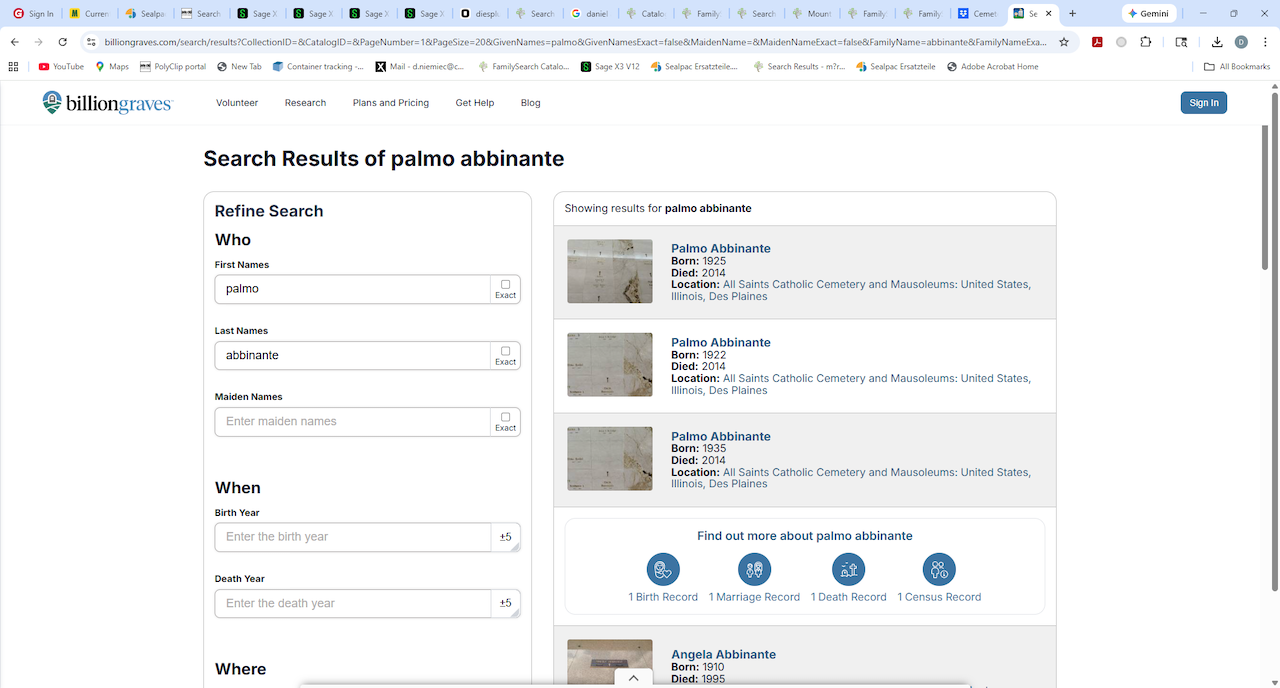
4) There’s always www.findagrave.com or www.billiongraves.com but not everyone is in it.
Method #1 above basically means that any larger cemetery, where most of us would probably have relatives (All Saints, Queen of Heaven, Maryhill, Resurrection, St. Joseph, St. Michael in Palatine) has a kiosk. Mount Carmel has no office, so you have to go to Queen of Heaven across the street. St. Mary in Evergreen Park also has no office so theirs has to be looked up at St. Casimir. Most of the Lake County smaller cemeteries can be looked up at Ascencion in Libertyville.
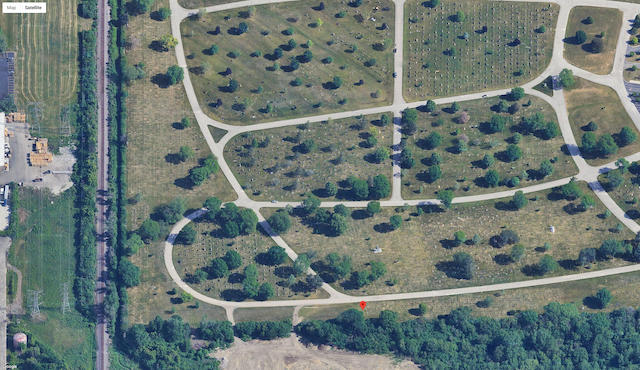
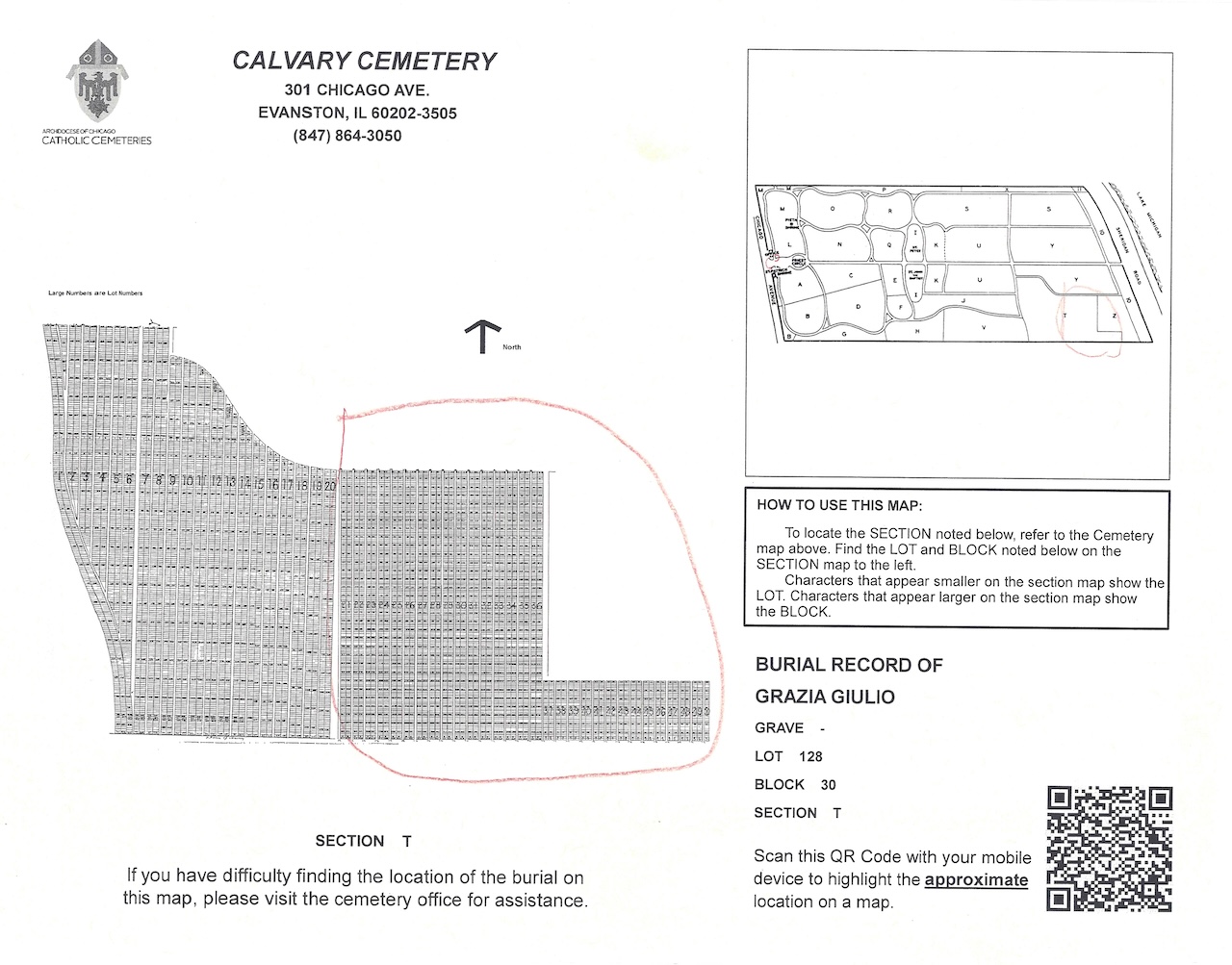
The good news is that each kiosk has the locations of ALL Cook and Lake County Catholic cemeteries. You do not have to travel from one cemetery to the other to look up locations. So go to the closest larger cemetery and check ahead to make sure the office is open. If your kiosk has a printer (many do not) you can press the print button on the touch-screen to get a printed map. (Most mausoleum locations will not have a map but the location will print on the page.) You can also take a picture of the kiosk screen with your cell phone. Maps do not show up on the screen on the kiosk. You have to print them. The block and lot numbers on these maps are quite small. But the maps may have a QR code to get you a computer overhead map with a red dot where the grave is located.
Method #2: I won’t go through the entire procedure here but you go to the Catholic Cemeteries web site above, click the link to request access to the lookup site. They send you an email with a button to access the site. You cannot get to the site again using the same link. They do this to prevent people from trying to download the entire site using “bots” etc.
Once you click the email link, you get 15 minutes (again to stop the bots) to look up whatever you need. If you run low on time, it may ask if you want to extend another 15 minutes.
You will get a screen showing the location and an overhead map. Get a screen-shot of the name and location first. (Hold the Windows key and the ALT key and press PRT-SCN. These screens will end up in your Captures folder.)
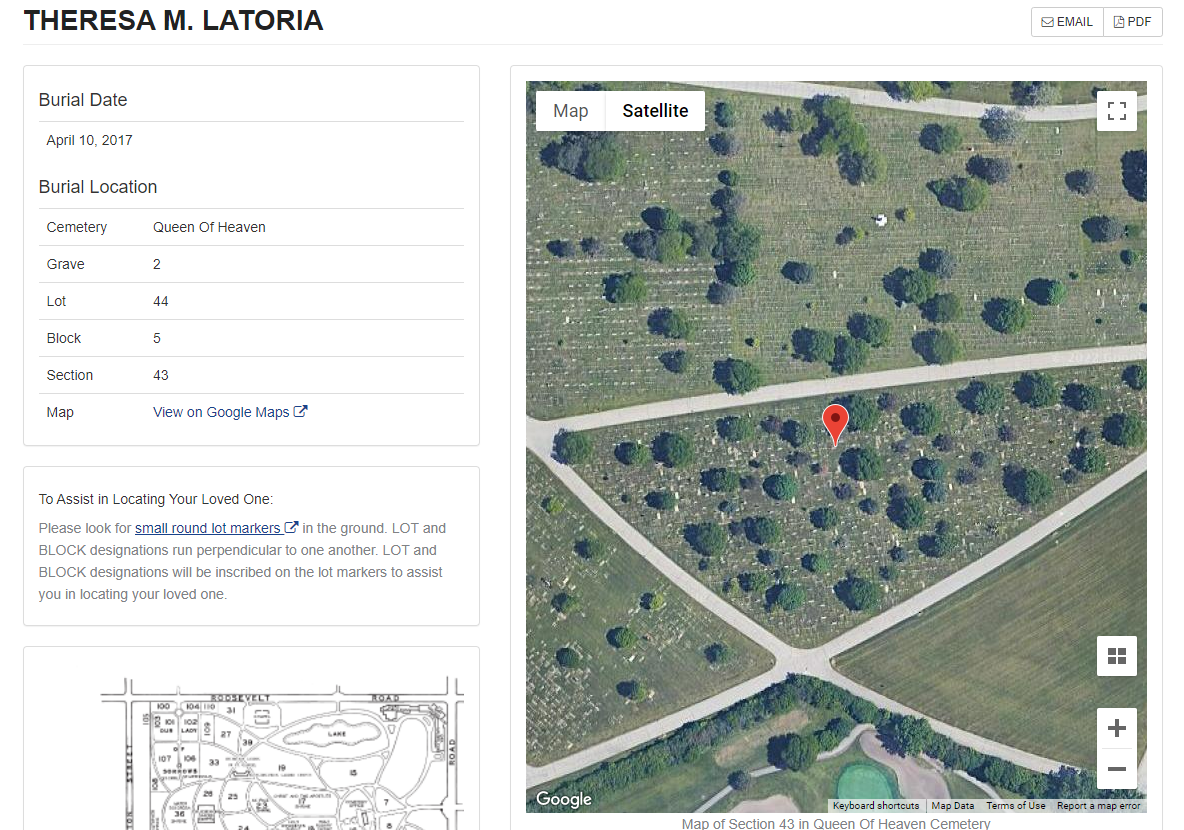
Now click the map to make the map fill your screen. Zoom the map in or out to get it the way you want it, then screen-shot it. So you’ll have both the name and location, followed by the map showing where they are within the section.
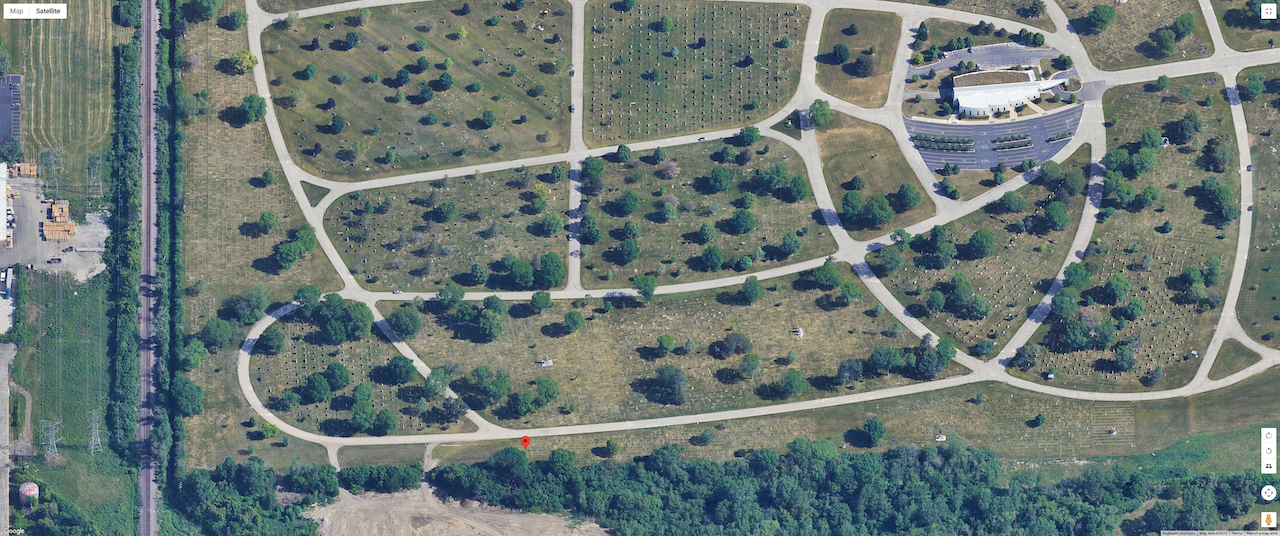
A tip from someone who didn’t think of it the first time (that would be me) you should name the screenshot files to reflect whose map it is. The screenshot of the map won’t contain the person’s name or the location. You’ll end up with a beautiful color map for someone you forgot.
The key here is A) make a list of everyone you want to look up and have it next to you before you start, so you can make the best use of the 15 minute time limit. B) If you are a slow typist, or you don’t like having a clock ticking down to zero that puts pressure on you, then you’re better off using method 1. There is no time limit on the kiosk except the impatient person behind you waiting to use it. (I am very patient when someone is trying to use the kiosk. I usually help them out.)
Method #3 involves my favorite web site, www.familysearch.org. You should log in, then click “Search” “Records”.
On the right, type in the first and last names. Under “Add life event” you can click “Death” and type the year of death, or a range of years if you’re not sure. Near the bottom, click “Type” and check the box next to “Death”. Then click “Search”.
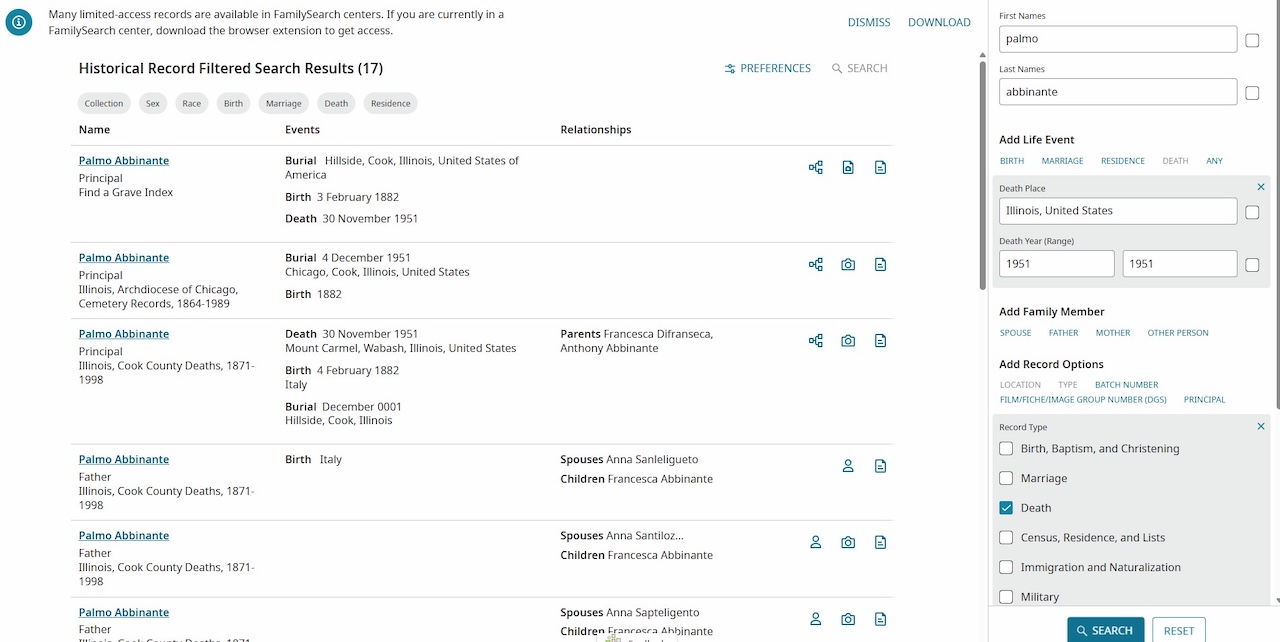
One important search tip: Don’t enter parents’ names in this search. None of the cemetery locations link people to their parents, so you might not see the cemetery records in the results.
You’ll see results on the left. There will be death certificates, obituaries, FindaGrave results etc. You want to find “Illinois, Archdiocese of Chicago Cemetery Records” under the name on the left. These will have the interment cards with the locations. (No maps though)
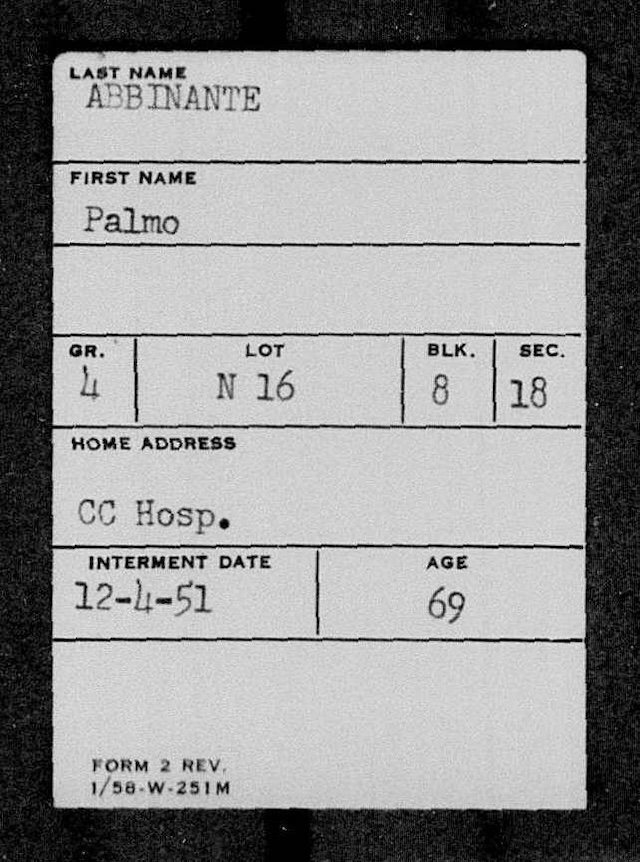
FYI many of your relatives buried at Mount Carmel in Hillside will show up more than once. This is because they microfilmed the interment cards, but also lot holder logs and burial logs. So don’t be surprised if you see something that does not look like an interment card.
Method #4 is throwing a dart but you just might hit a dartboard.
Good news:
- You might find people who were cremated and not inurned at a cemetery at all. At least you’ll know not to look for them again.
- You might find people who were buried or inurned at a non-Catholic cemetery, or at a cemetery in a nearby Illinois county, or even in another state.
- There might be a GPS location to use within the cemetery to find that grave.
- If someone posted a photo of the marker, you can either choose to call it a day and not visit, or you can know what the marker looks like, if you decide to pay a personal visit.
- No 15-minute time limits.
Bad news:
- Not everyone is in findagrave or billiongraves. Someone has to go through the trouble to create a memorial record.
- Not everyone who is in findagrave has a grave or crypt location on the memorial record. But you’ll get a cemetery name, or confirmation that there is no public final resting place.
Findagrave and Billiongraves are not specific to Chicago or Italians but it is another option when the other ones don’t work for you. Many findagrave records are indexed on FamilySearch so you can jump direct from FamilySearch right to FindaGrave.
Findagrave is encouraging people to post the obituary in the text section, so you might find an obit even if you do not have access to the newspaper it was posted in. However, it is not mandatory to post the grave location or to post a photo of the marker.
Billiongraves is more concerned about the GPS coordinates of the grave. You have to have a login to see the GPS coordinates. The phone app is used to take pictures at a cemetery and it records the GPS. The app also helps you find the grave once you search Billiongraves and pick out the one you want.
You can use one or all four methods to make a list of graves and crypts to visit. Once you have a list of cemeteries and locations, all you need is nice weather!